Your project as a diagram and as YAML
A project's overview has four tabs: Overview (the six steps and the goal), Graph, Code (YAML) and Activity (training runs and deployments, newest first). Graph and Code are two views of the same project: a change saved in one appears in the other.
The graph
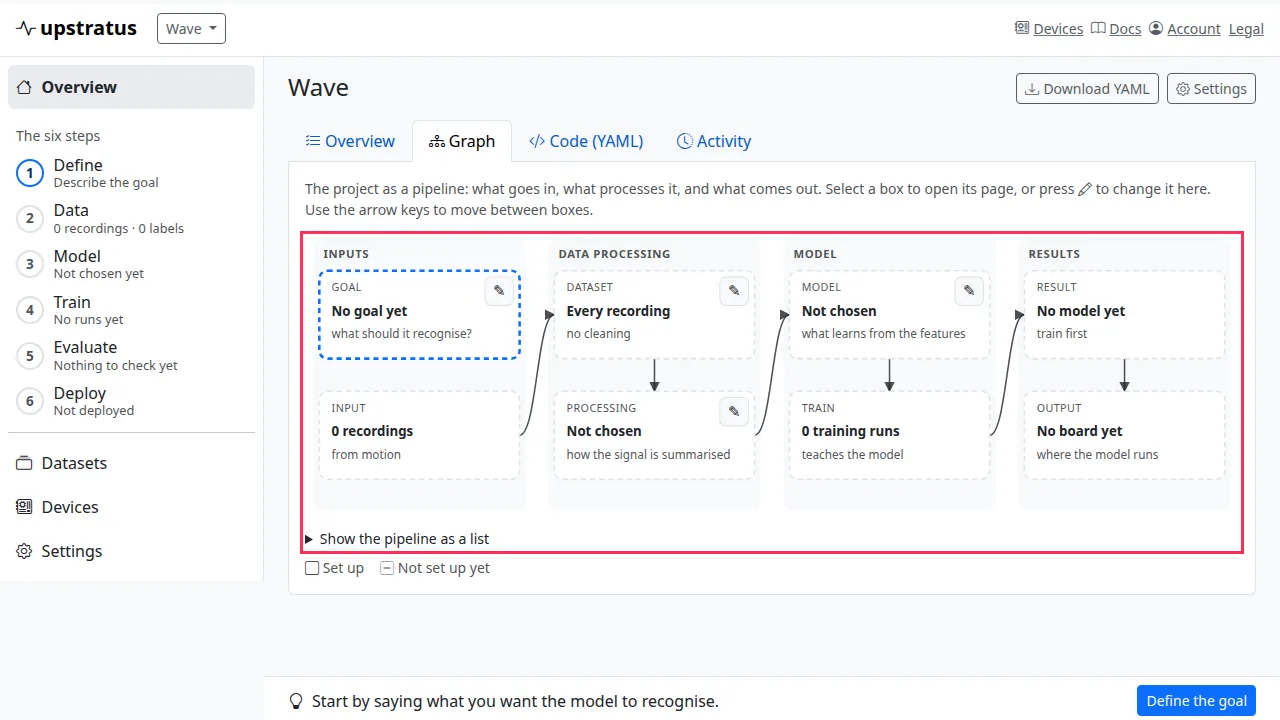
Graph draws the project as a pipeline in four bands:
| Inputs | Data processing | Model | Results |
|---|---|---|---|
| Goal, Recordings | Dataset, Features | Model, Training | Evaluation, Boards |
A dashed box is a part that is not set up yet. Select a box to open its page. Boxes with a pencil can be changed in place: the Goal (what to recognise, the target score and the board) and the pipeline (which dataset to learn from, the features and the model). Only feature and model pairs that can be trained are offered. Saving the pipeline makes a new recipe; earlier training runs keep theirs.
From the keyboard: Tab reaches the diagram, arrow keys move between boxes, Enter opens a box and E edits it. Show the pipeline as a list gives the same information as a list.
The YAML
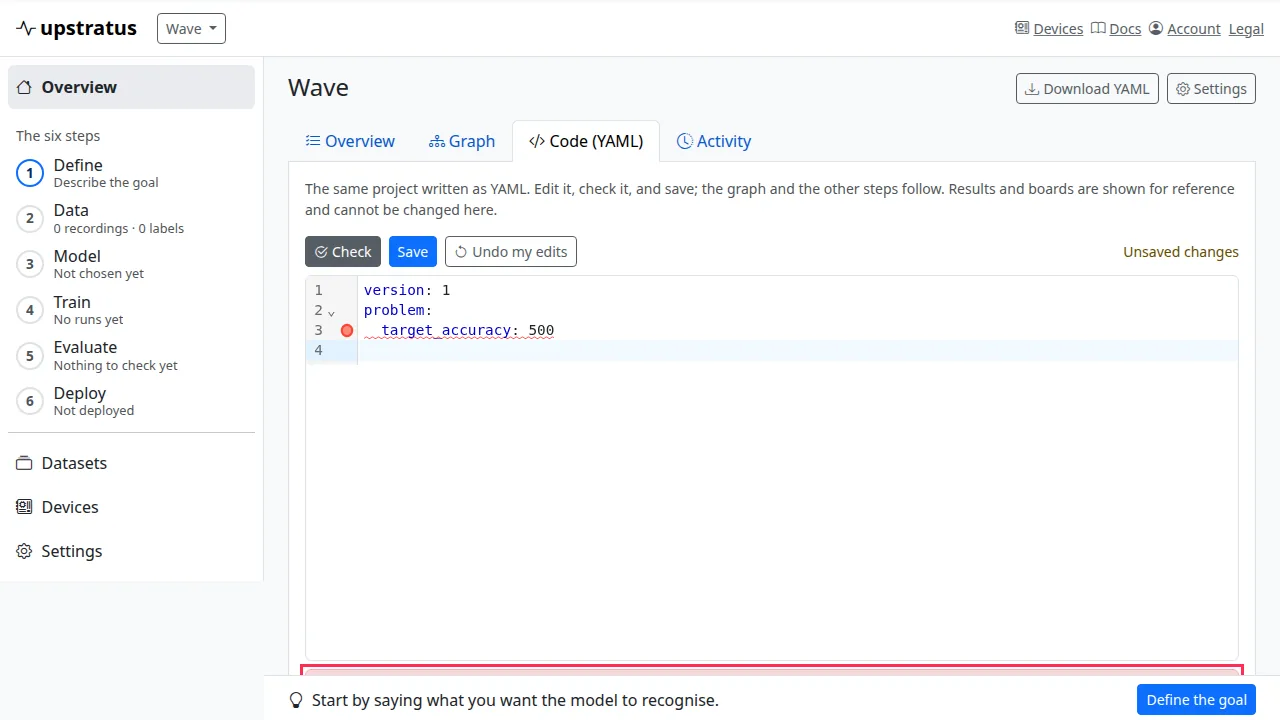
Code (YAML) shows the project as a YAML document. Edit it, then:
- Check asks the server whether the document is valid and lists what would change, without saving;
- Save applies it;
- Undo my edits puts back the saved document.
A mistake is reported with its line number, the line is marked in the editor, and Go to line jumps to it. Your text is kept until you change it. Leaving the page with unsaved edits asks first. Download YAML saves the document as a file.
Fields
| Field | Can be changed | Meaning |
|---|---|---|
version |
no | Always 1. |
project.name, project.description |
yes | Name and notes. |
project.modality |
only while not set | motion, audio, vision or analog. Duplicate the project to use another kind. |
problem.statement, problem.success_metric, problem.risks |
yes | The goal in your own words. |
problem.target_accuracy |
yes | A percentage above 0 and at most 100, or null. |
problem.target_board |
yes | A board id from Supported boards, or null. |
data.datasets |
yes | Datasets by name (or id), each with description and cleaning steps (see Clean your data). An entry whose name matches an existing dataset changes that one; a new name makes a new dataset. A dataset not listed is left as it is; none is ever deleted from YAML. The cleaning of a dataset a model was trained on cannot be changed. |
pipeline.dataset |
yes | The name of a dataset (an archived one too), or null to learn from every recording. |
pipeline.features |
yes | block and params. Without params, the current settings are kept, or a newly chosen block starts from Design's defaults. |
pipeline.model |
yes | block and hparams, with the same rule. |
deploy, results |
no | Shown for reference; edits to them are ignored. |
A section or field you leave out is left unchanged, including inside a dataset entry and the pipeline. If the project changed after you opened the YAML (in another tab, or on the graph), Save is refused rather than overwriting that change: copy your edits, choose Undo my edits to load the latest, and apply them again. Dataset names are unique within a project. The document may be at most 200 KB and 12 levels deep, and YAML anchors and aliases are refused.